Every meeting, transcribed.
Right on your Mac.
Then handed to the AI you already have.
No cloud. No bot in the call. No subscription.

Press record.
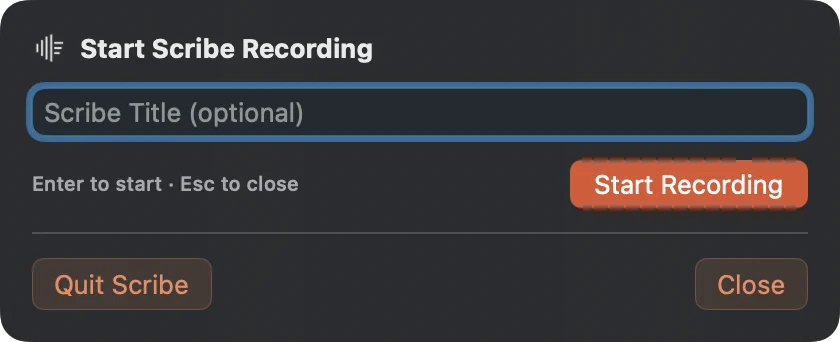
From the menu bar, a hotkey, your iPhone, or the card that appears before your call.
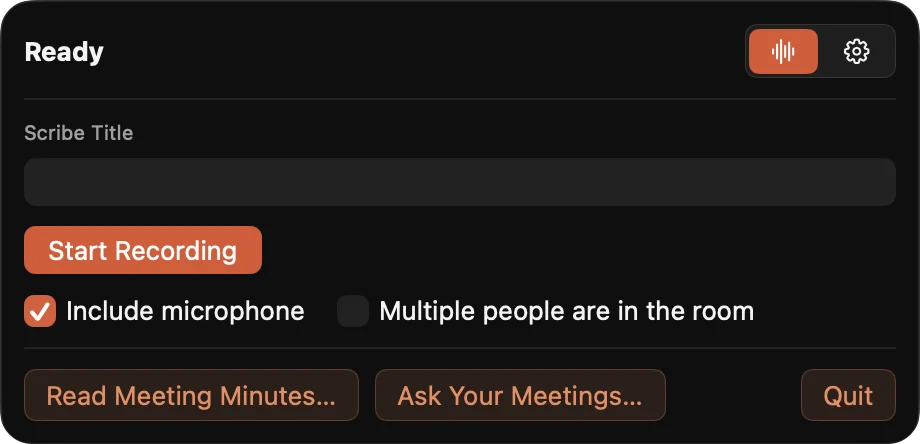
Transcribed on your Mac.
A Whisper model on your GPU writes a plain-text file as you talk. Nothing is uploaded.
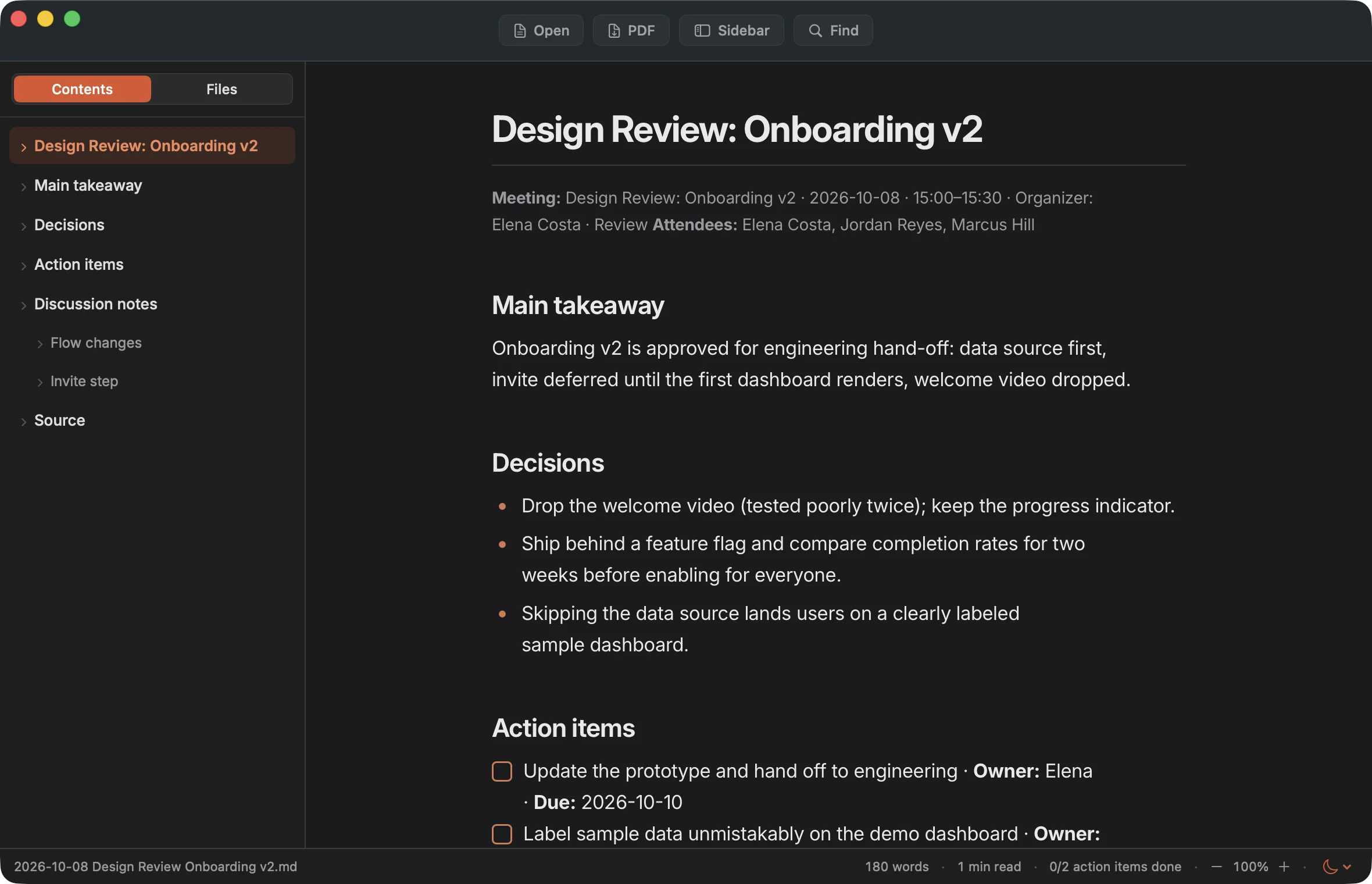
Understood by your AI.
Claude, Codex, or a local model turns it into minutes, answers, and action items.
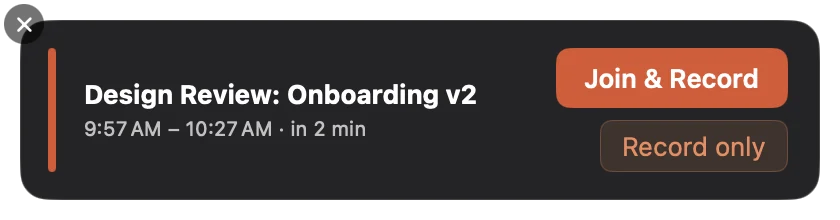
It knows you have a meeting.
Two minutes before any call with a Zoom, Meet, Teams, or Webex link, a quiet card appears. One click joins and records.
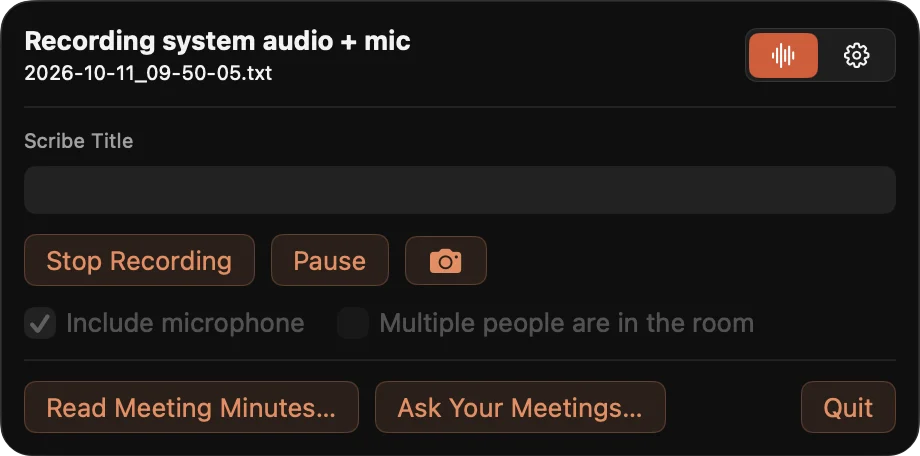
Freeze the slide.
One click grabs a still of the Zoom window and drops a timestamped reference into the transcript. From the Mac, or from your phone.
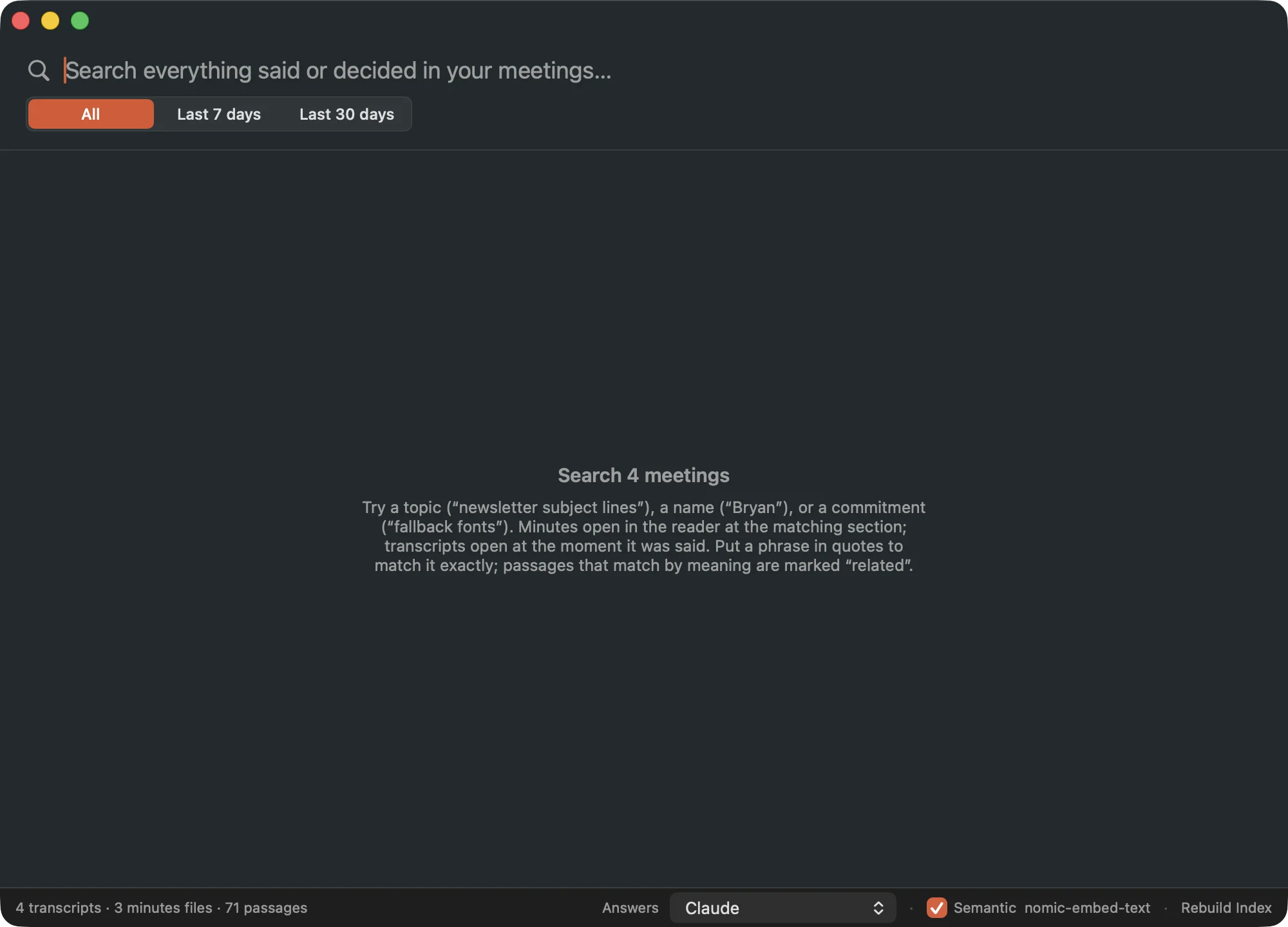
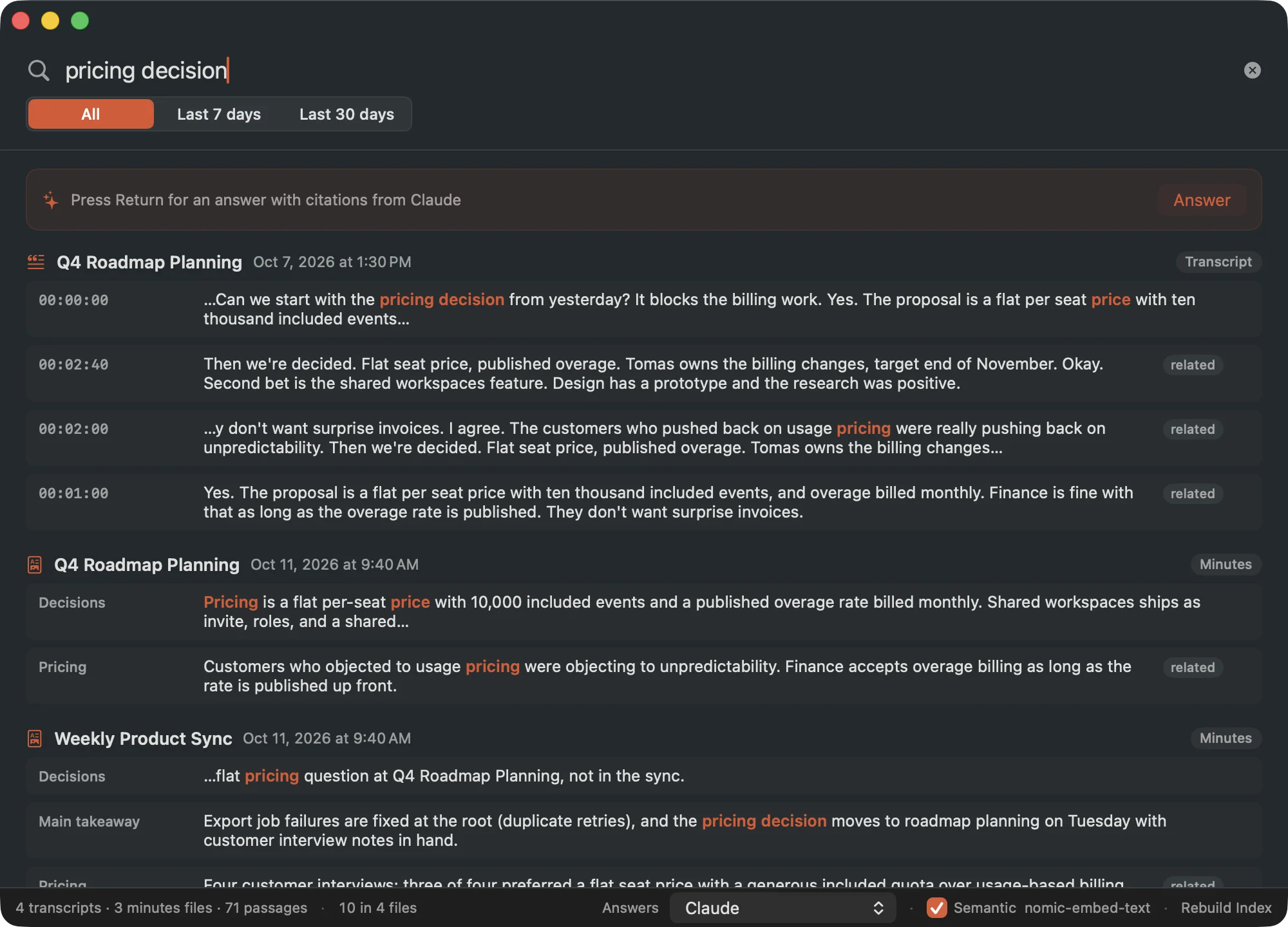
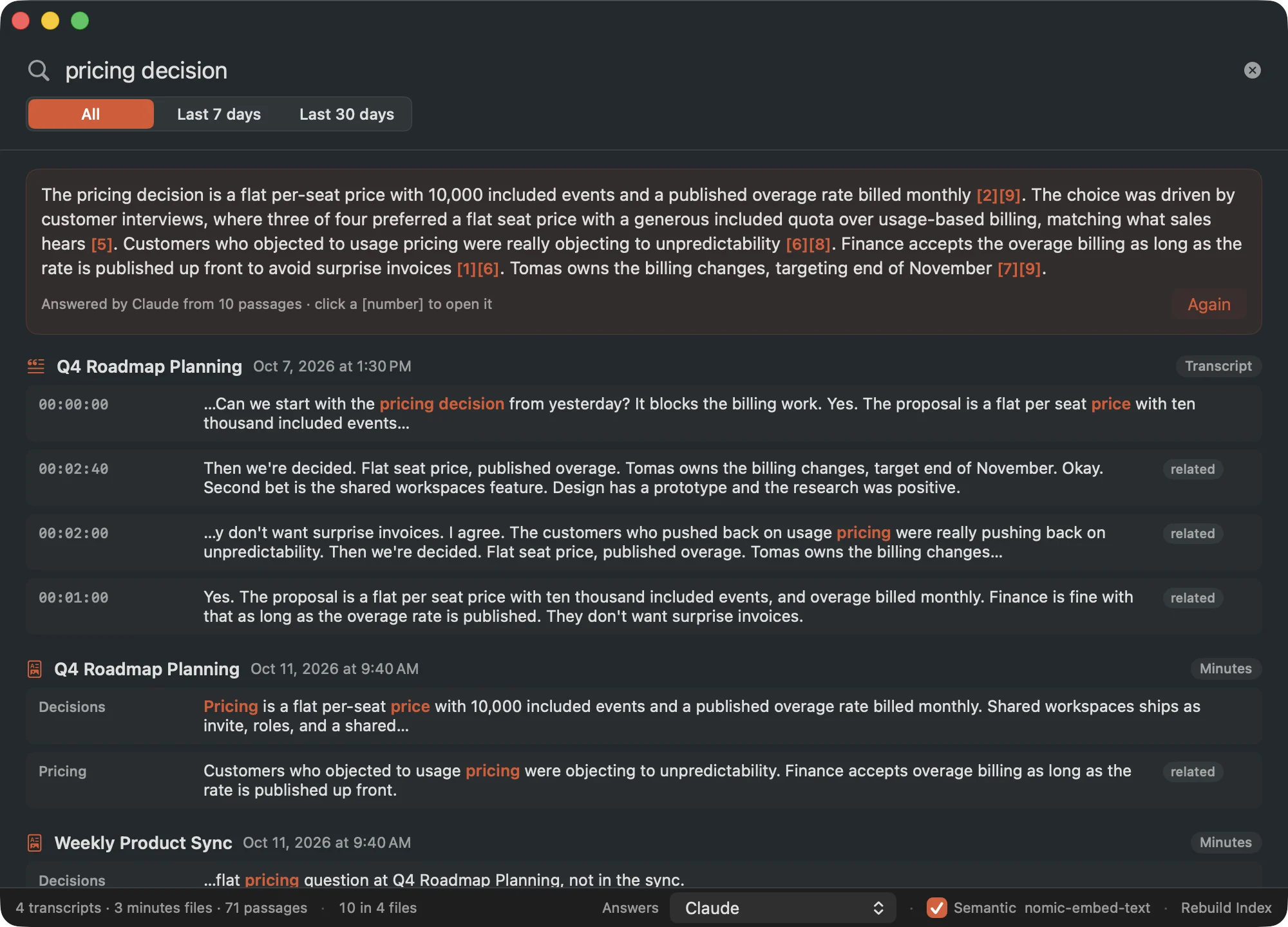
Ask anything you've ever discussed.
Every word is indexed on your Mac the moment it's spoken. Search by meaning. Get answers with citations.
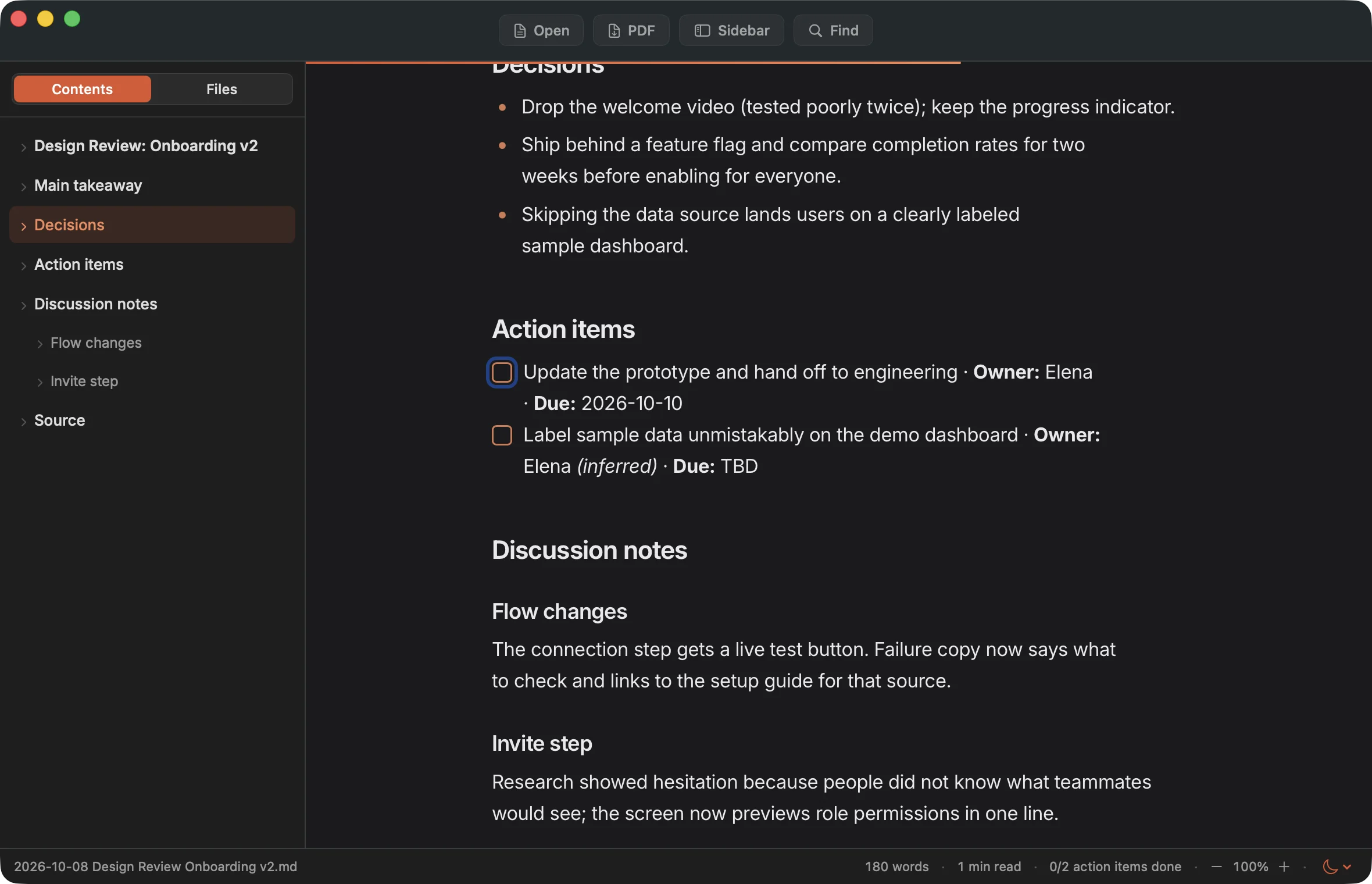
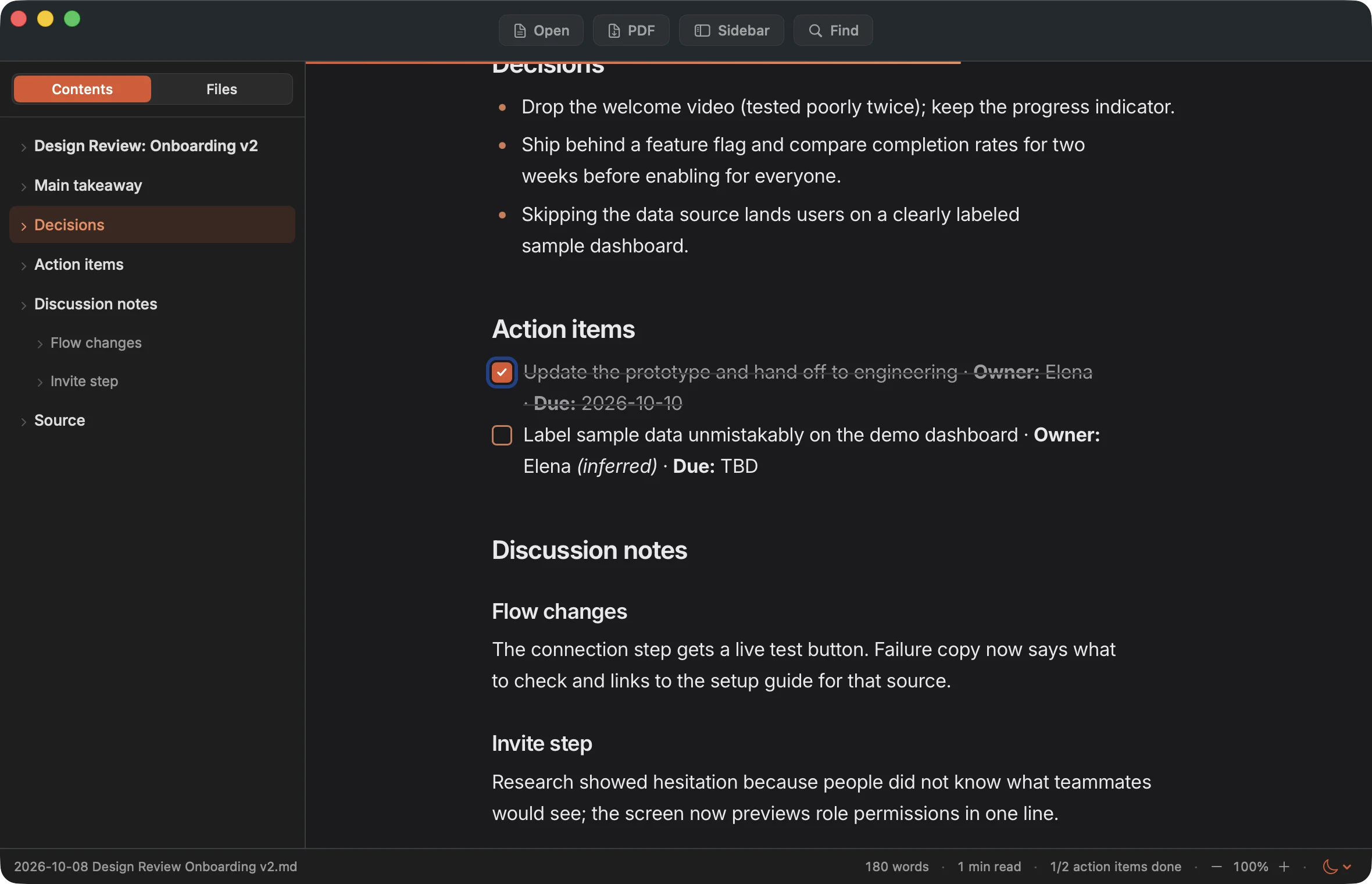
Minutes you can tick off.
Decisions. Owners. Action items. Tick one and it's saved back into the file.
Start from your pocket.
A hotkey on the Mac. A button on your iPhone. Scribe Remote starts, pauses, and stops recording and follows the live transcript, peer to peer.
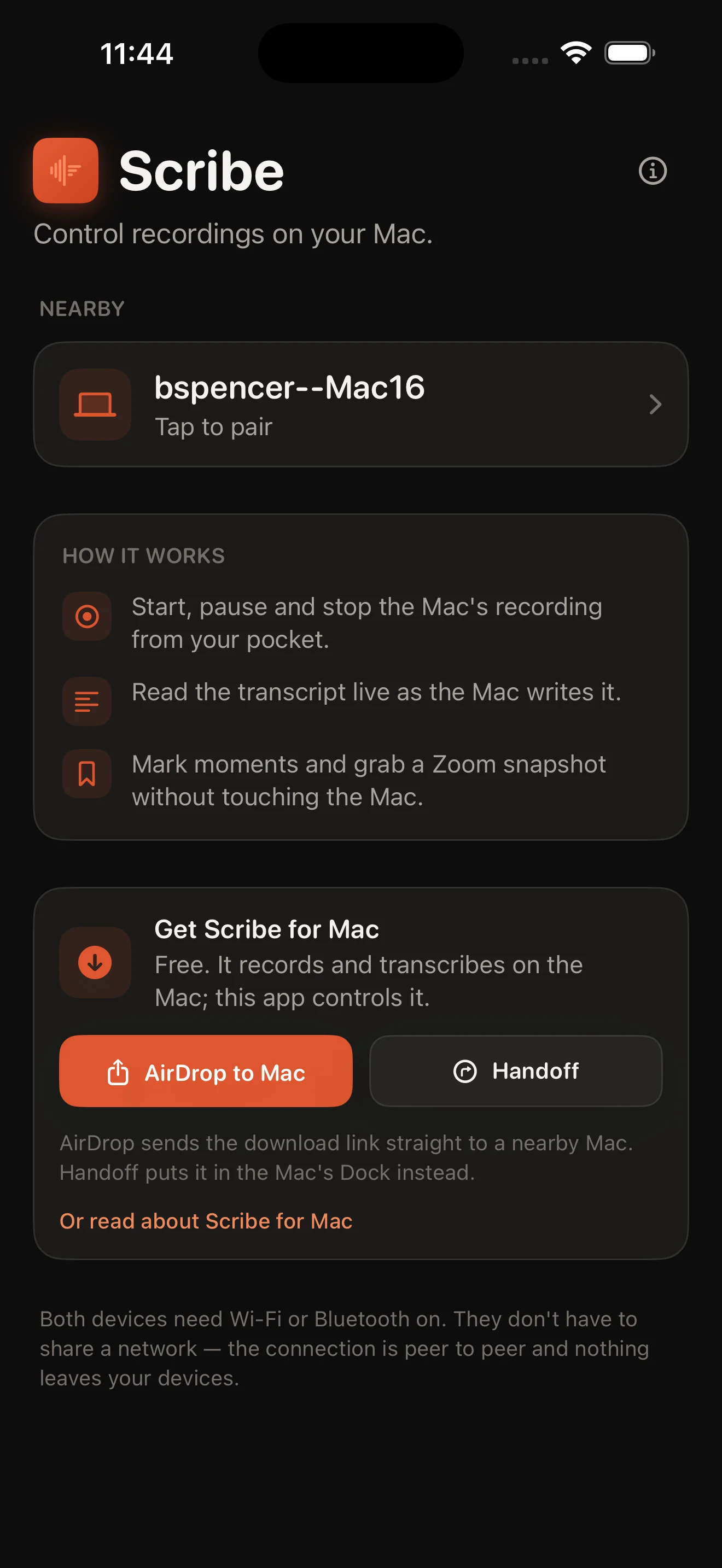 Scribe Remote is free.
Everyone knows.
Recording people should never be a secret. Each of these is on by a switch you control.
Says it out loud
A spoken announcement when recording starts, pauses, and stops.
Shows on screen
A recording badge that appears in your screen share, and a menu-bar icon that pulses red.
Posts in Zoom chat
A one-line notice to the meeting the moment you hit record.
You already pay for an AI. Scribe doesn't charge you for a second one. Transcribing on your own Mac costs nothing per meeting, so there's no subscription. Your transcripts are plain text, so any model can read them. And when the models get better, Scribe gets better. For free.
Works with the one you have.
Scribe does what has to happen on your Mac. The thinking goes to whichever assistant you already use.
Claude Desktop
An extension with /write_minutes, /catch_up, and /weekly_digest.
Claude Code
Generate Minutes from the menu bar with the bundled skill.
OpenAI Codex
The same local meetings server, registered with Codex CLI.
Apple Intelligence & Ollama
Answers that never leave the Mac.
Any file reader
Plain .txt and Markdown. ChatGPT, Gemini, Obsidian, a script.
No second subscription.
Most notetakers are a monthly fee on top of the AI plan you already have.
One privacy policy.
Audio stays home. Your AI sees only the passages you choose, under terms you already accepted.
Your context, not a silo.
Claude and Codex already know your calendar, Slack, and docs. Minutes written there connect to all of it.
Pay once. Keep it.
Twenty meetings free, every feature on. Then one payment, for good, on up to three Macs.
- Unlimited recording and transcription
- Every feature, every integration
- Up to 3 Macs
- Free updates for all of 1.x
- Scribe Remote for iPhone, free
Buy inside the app under Settings → License. Sold via Lemon Squeezy; tax and VAT handled. Terms.
The subscription math
A typical AI notetaker is about $15 a month.
Illustrative, based on common per-seat pricing. Scribe never recurs.
What leaves your Mac?
Nothing you didn't send.
No account. No analytics in the app. No server of ours. Just signed updates, a license check, and the AI calls you turn on.
Questions
Does Scribe join my meeting as a bot?
No. It captures the audio your Mac is already playing, plus your mic if you want. Nothing appears in the participant list, so it works for Zoom, Meet, Teams, Webex, FaceTime, or a conversation across the table.
Which Macs?
Apple Silicon, macOS 13 or later. Transcription runs on the GPU, so it stays fast and quiet even on a MacBook Air.
Do I need Claude or Codex?
No. Recording, transcription, search, the Minutes Reader, and on-device answers work with no AI account at all. Claude and Codex are optional, for minutes and richer answers.
What counts as one of the 20 free meetings?
Any completed recording of two minutes or longer. Short tests don't count, and a recording in progress is never interrupted.
What if I don't buy a license?
Everything you recorded keeps working: transcripts, minutes, search, export. Only starting a new recording is gated.
Do I pay again for updates?
No. Every 1.x release is free, delivered automatically through a signed update feed. If a future major version is ever paid, your license keeps working on the version you own.
I used Scribe before it had a license.
You're grandfathered in automatically. Recording stays unlimited on Macs that already had transcripts. Nothing to do.
Is it legal to record my meetings?
That depends on where you live and who's on the call. Scribe's announcement, badge, and chat notice exist so telling people is the default.
Your Mac. Your files. Your AI.
Free to start. $9.99 once.
macOS 13+ · Apple Silicon · Notarized by Apple · Drag to Applications and you're done